HayPulse turns gifts, chat and likes into sound alerts, text-to-speech, game actions and stream overlays. Everything runs locally on your PC with your own TikTok account.
The tools you need to respond to your audience in real time, in one application.
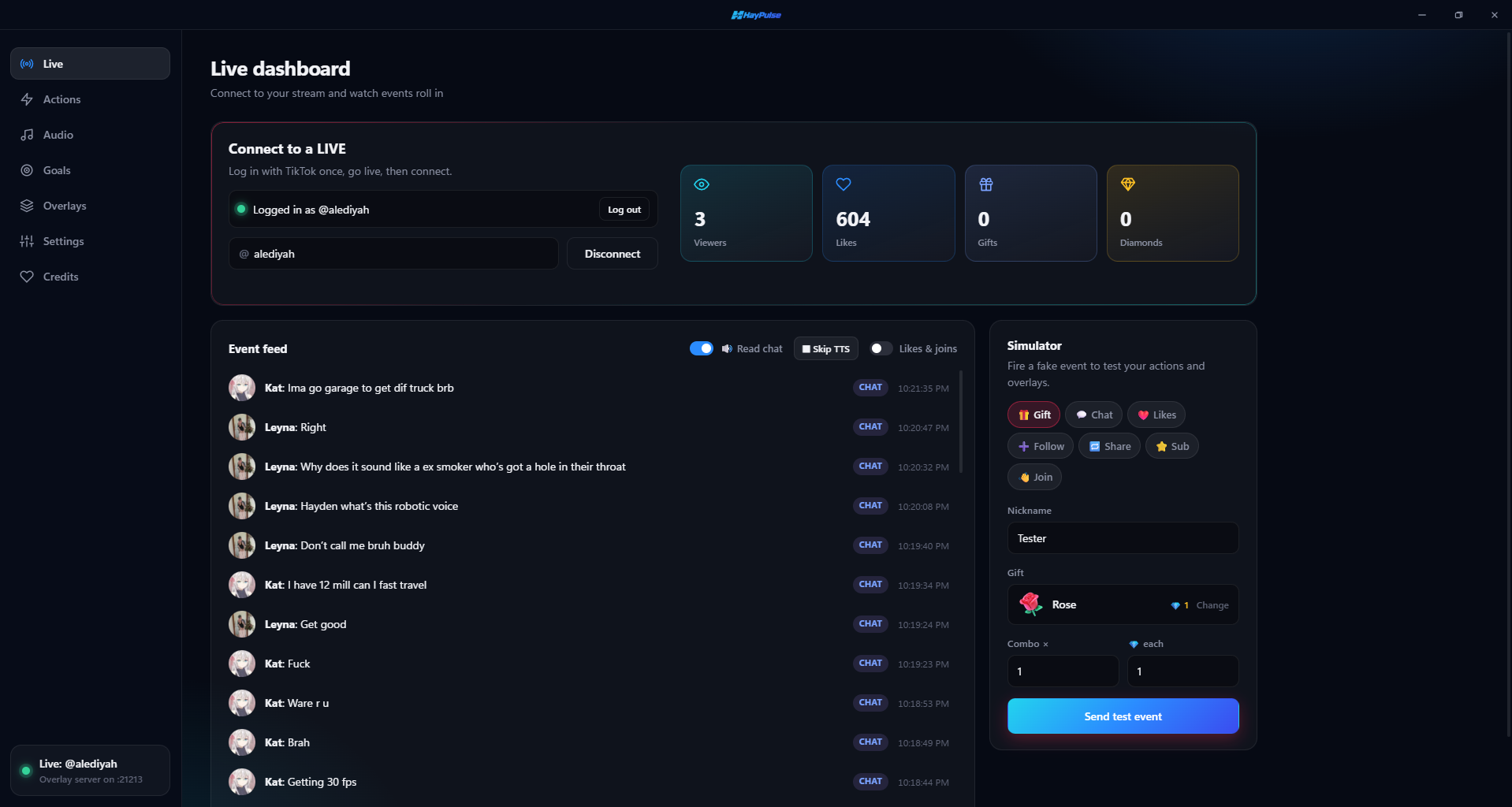
Monitor viewers, likes, gifts and diamonds alongside a real-time feed of every chat message and event.
Play sounds when viewers send gifts, chat or like your stream.
Read chat aloud for everyone, or limit it to moderators, subscribers or Fan Club members.
Ten natural-sounding British and American voices, bundled with the app. They run fully offline with no accounts or setup.
Map gifts to keypresses so your viewers can interact directly with the game you are playing.
Add alerts and live goal progress to your OBS scene as browser sources served from a local overlay server.
Send test gifts, chats, follows and other events to check your setup before going live.
Show your Discord friends when you are live with HayPulse.
Events are read locally with your own TikTok login. No external signing service or paid plan is required.
No administrator rights or technical configuration required.
Download and run the installer. Desktop and Start menu shortcuts are created automatically.
Log in once with your TikTok account. Your session is remembered between restarts.
Start your LIVE, connect in HayPulse, and add your overlays to OBS as browser sources.
Free for Windows. Installs in under a minute.
Yes. HayPulse is free to download and use.
HayPulse runs on 64-bit Windows 10 and Windows 11. Installation does not require administrator rights.
You sign in with your own TikTok account inside the app. HayPulse then reads your LIVE events locally on your computer, without any third-party service.
Yes. The built-in simulator sends test gifts, chats, likes, follows and other events so you can check your actions and overlays in advance.
No. The built-in neural voices are included in the installer and run entirely on your computer. Nothing is downloaded after installation.
Any software that supports browser sources, including OBS Studio, Streamlabs and TikTok LIVE Studio.
Yes. Every release is available on the versions page along with its release notes.
Join the HayPulse Discord server, or contact @alediyah on any of the platforms linked below.